Theia Post Slider for WordPress

This is a WordPress plugin that transforms your posts with multiple pages into slideshows, making them much more engaging and easier to browse.

It comes packed with more than 25 slider themes, works out-of-the-box without the need to edit your existing posts and it is compatible with virtually any WordPress theme. It features a user-friendly admin page where you can fully customize it by choosing the transition effect and speed, the buttons’ theme, text and width, and much more. Last but not least, it’s super-SEO-friendly, keeping all of your existing URLs and using graceful fallbacks.

Similar usages can be seen all over the web, using sliders for navigating a post becoming more and more popular.

View the demo or Buy on CodeCanyon

Split posts into pages

For new posts, Theia Post Slider adds an ”Insert page break” button inside the editor, which you can use to easily split your posts into multiple pages.

For existing posts that are already multi-paged, you don’t have to do anything. The plugin automatically displays them using the slider.

The slider

Basically, the plugin transforms the standard page navigation from this:

Into this:

It features smooth transitions between the pages which you can customize to your liking. The texts “Prev”, “2 of 10″ and “Next” can also be completely changed with respect to your language.

Features

  • Works out-of-the-box with all your existing posts.
  • 25+ slider themes you can choose from. Edit the buttons or create your own using CSS .
  • 4 transition effects: Slide, Fade, Basic and None
  • An admin page with a Live Preview to easily customize your slider.
  • SEO optimized: Keeps the same URLs for post pages.
  • Works with virtually any WordPress theme.
  • Optionally allow jumping to the previous or next post.
  • Keyboard shortcuts (left and right arrows).
  • Degrades gracefully for visitors without JavaScript.
  • Compatible with the most popular SEO and Cache WordPress plugins.
  • Page views for each slide are tracked in Google Analytics or Piwik (if available).
  • Optimized for speed using CSS sprites.
  • Receive support and free upgrades.

Includes

  • High-quality code complete with comments.
  • The Photoshop Documents (PSDs) used to create the slider button themes.
  • Complete documentation for installing and customizing the slider.

The admin page

The Theia Post Slider has an easy to use admin page where you can customize it however you want. It also features a Live Preview where you can immediately see the changes that you’ve made.

Similar usages

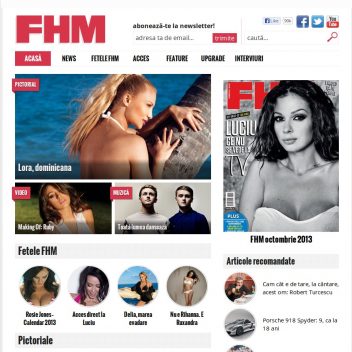
Many popular sites now use this type of in-post slider. Some of them are:

Themes

Here is a preview of the 25+ themes available with the plugin. You can also easily create your own custom theme using CSS.

View the demo or Buy on CodeCanyon

PICOF.net – Photography community website

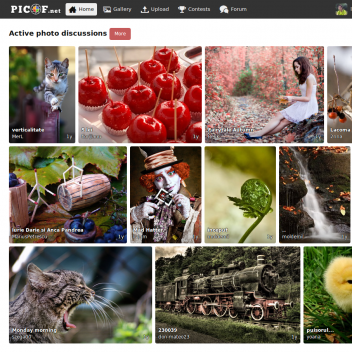
This started as a hobby project in 2007 and turned into what it is today, an international photography website with distinctive features and a friendly community. Below is a showcase of its main components, including two different interfaces (white-on-black and black-on-white), the most important pages, and the logo.

The home page

The same home page, black-on-white theme

A photo’s page

The main gallery

The forum

View photos by color

A user’s profile

Upload page

Message center

Logo on black

Logo on white

Thank you for viewing this project!

Special thanks go out to the following for their awesome icon packs:
Gentleface Toolbar Icon Set
Fugue Icons
FatCow Web Icons

Basic Previous & Next Buttons

Introducing a new free button pack for your next project! It includes 11 colors, each with 4 states (normal, hover, active and disabled), all in PNG format. Photoshop documents (PSDs) are also in the pack so you can customize the buttons to your own desire. On top of that, a Photoshop Action (ATN) file is also included to help you export each button state into separate images.

The work is licensed under a Creative Commons Attribution 3.0 Unported License.

Download it here for free here: Basic Previous & Next Buttons, v1.

And below is a preview. Enjoy!